My rekindled love of onenote continued today. I’ve been busily moving docs into there, scribbling over them, pulling out tasks and then binning the results. It’s all good fun. Until, of course, I wanted to start automating the process of getting the messages into onenote.
There are a couple of regular emails that I get, where it’s nice to read on the tablet and just cross out, scribble and comment against sections. I wouldn’t ever do this on paper, so I tend to just read through them wishing that I could. The old process of saving those messages as PDF in google drive and then importing into Notes Plus was time consuming.
Now, of course, I can.
There is a gmail plugin, powerbot, which is supposed to link gmail with dropbox, evernote and other goodies. However, this still requires me to go into my inbox review the emails and then press a button to send it to onenote. After playing with it briefly, I gave up.

I did some digging around and considered tweaking a google app script which converts labelled emails into PDF and then files in a google drive folder. However, I then had to get those PDFs into OneNote somehow.
IFTTT wasn’t playing nicely, even though it talked to both gmail and onenote it couldn’t create the message in the right format. It would render the HTML message as raw HTML and the unformatted messages came through as a stream of consciousness.
In the end I used Zapier. It’s like IFTTT on steroids and works with a different set of web applications. There is some crossover, but where there is some crossover, Zapier usually does the job better. IFTTT works great for some simple recipes, and I use it a lot, but Zapier is the one when all else fails. The downside with Zapier is that there is a small cost each month, but it’s something I’ve used for a long time now for other jobs and so there’s no additional cost for new recipes.
Both IFTTT and Zapier use triggers and actions. The triggers are events that happen in web apps, for example, a new email arriving. The actions may be performed by a different webapp, in this case, create a new onenote page with the contents of the email.
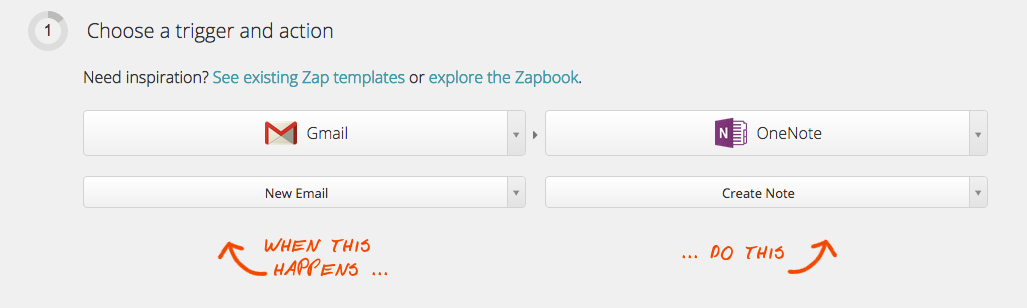
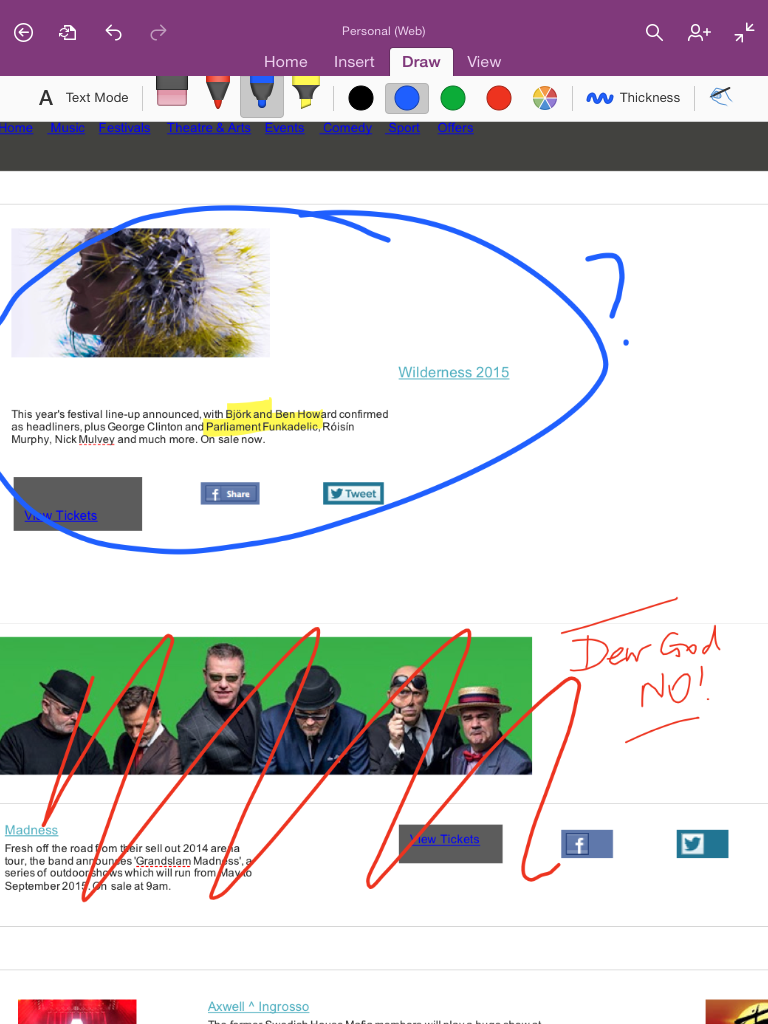
The result is a page generated in onenote that looks like a badly rendered version of the email. I might look again at converting into PDF and then uploading at some point, particularly as the formatting is better preserved, but for now this will do:
In other news, today was down for a run which I got out of the way early. A 6.7k run over to Aughton and back. This was the first time since last September that I’ve run over 5k, and so I was very pleased that I was able to complete it without keeling over and that the pace felt quite conversational. The pace turned out to be 6:12min/km, which is slower than recent runs, but I was pacing myself given the longer distance. I was also listening to a 6 min/km playlist on Spotify which turns out is very slightly slower than 6 min/km. My guess is that I put it together when that seemed like an impossible goal and I tweaked it to be more like 6:20. Still it was all good and I was happy to get it done.
We also walked in the afternoon before dinner. Jude and I walked into town and back again 3.4km at 10:07 min/km. A good pace given that it’s very easy to walk quickly by yourself and much harder when walking together. That said, I might have been going a tad too fast. I’ve subsequently learned my lesson on that.